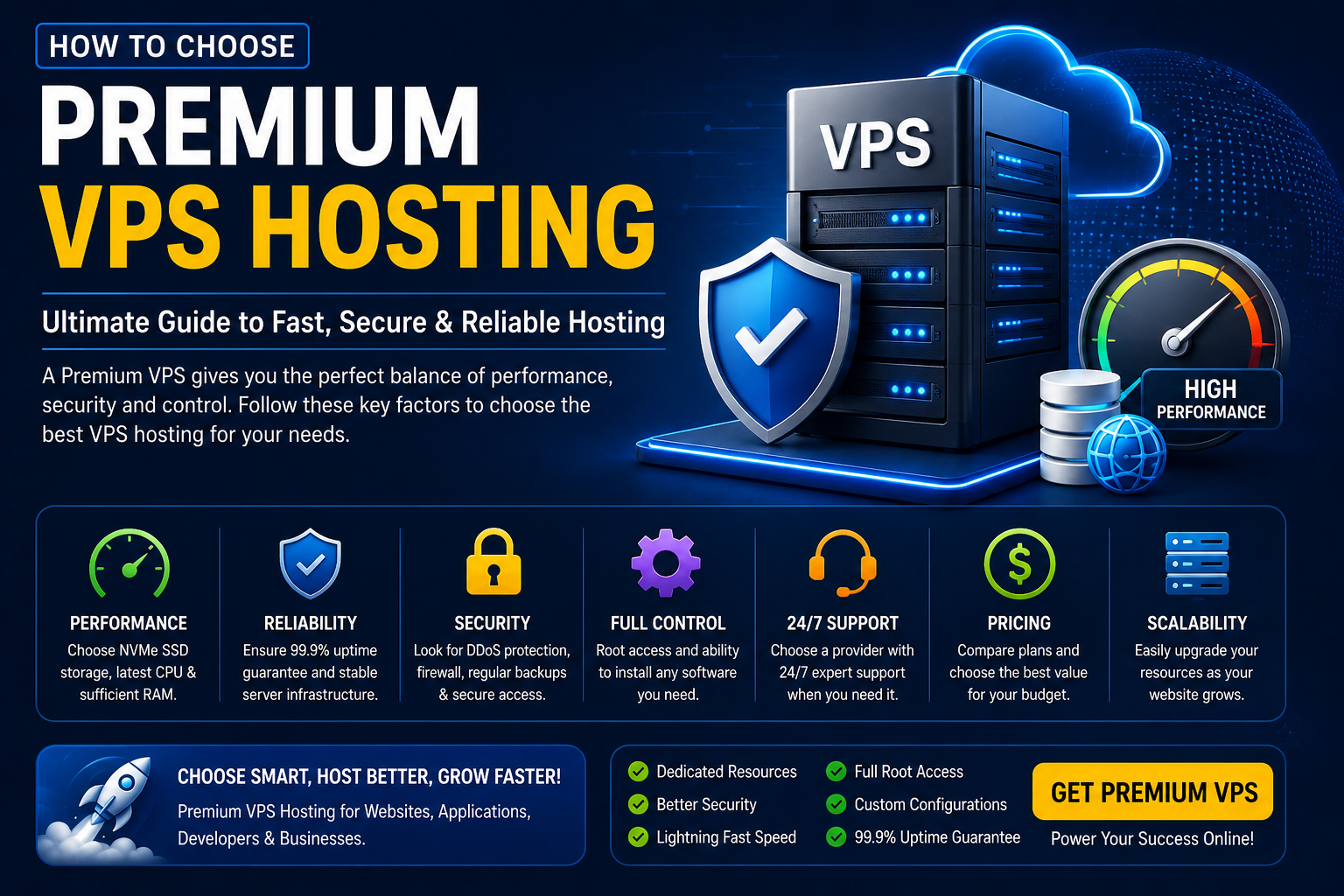
Choosing the right VPS (Virtual Private Server) is one of the most important decisions for developers, businesses, agencies, and website owners. A premium VPS provides dedicated resources, improved performance, stronger security, and greater flexibility than shared hosting.
However, not all VPS providers offer the same level of quality. Understanding the key features before purchasing can help you avoid downtime, slow performance, and unnecessary costs.
In this guide, you'll learn everything you need to know before choosing a premium VPS hosting plan.
What Is VPS Hosting?
A Virtual Private Server (VPS) is a virtual machine that provides dedicated computing resources within a physical server.
Unlike shared hosting, a VPS offers:
- Dedicated CPU resources
- Guaranteed RAM
- Private storage
- Root or administrative access
- Better security
- Improved performance
It is ideal for websites, applications, remote work, game servers, and business environments.
Why Choose Premium VPS Hosting?
Premium VPS hosting provides more than just additional resources.
Benefits include:
- Faster loading websites
- Stable performance
- Better uptime
- Higher security
- Greater flexibility
- Full server control
- Easy scalability
Premium plans are designed for users who need reliable hosting without investing in expensive dedicated servers.
CPU Performance
The processor directly affects your server's speed.
Choose a VPS with:
- Modern multi-core processors
- Dedicated CPU allocation
- High clock speeds
- Reliable virtualization technology
More CPU cores are recommended for:
- Large websites
- Ecommerce stores
- Business applications
- Game servers
- Database servers
RAM Requirements
RAM determines how many applications your VPS can handle efficiently.
General recommendations:
- 2 GB: Small websites and personal projects
- 4 GB: Business websites and WordPress
- 8 GB: Ecommerce stores and medium applications
- 16 GB+: Enterprise workloads and multiple applications
Always choose enough RAM to avoid performance bottlenecks.
NVMe SSD Storage
Storage speed has a major impact on performance.
Premium VPS providers should offer:
- NVMe SSD storage
- High read/write speeds
- Reliable storage infrastructure
- Fast database performance
NVMe drives are significantly faster than traditional HDDs and standard SSDs.
Bandwidth & Network Speed
Consider:
- High bandwidth limits
- Fast network connectivity
- Low latency
- Premium network providers
Unlimited bandwidth is useful for websites with growing traffic.
Server Location
Choose a data center close to your target audience.
Common server locations include:
- United States
- United Kingdom
- Germany
- Netherlands
- Canada
- Singapore
- India
A nearby server reduces latency and improves user experience.
Uptime Guarantee
Reliable hosting should provide:
- 99.9% uptime or higher
- Redundant infrastructure
- Backup power systems
- Network redundancy
Frequent downtime can negatively affect both visitors and search engine rankings.
Security Features
Security should never be overlooked.
Look for providers offering:
- DDoS protection
- Firewall protection
- Malware scanning
- Secure login options
- Automatic security updates
- Backup protection
Keeping your server secure protects your data and your customers.
Root Access
Developers often require full control.
Root access allows you to:
- Install software
- Configure services
- Manage databases
- Modify server settings
- Deploy applications
If you require complete flexibility, choose a VPS with full root access.
Scalability
As your business grows, your hosting should grow with it.
Choose a provider that allows you to upgrade:
- CPU
- RAM
- Storage
- Bandwidth
without lengthy downtime.
Operating System Options
Most VPS providers support:
Linux
- Ubuntu
- Debian
- AlmaLinux
- Rocky Linux
- CentOS alternatives
Windows
- Windows Server 2019
- Windows Server 2022
Select the operating system that best matches your applications.
Backup Solutions
Backups are essential.
Choose a provider that offers:
- Automatic backups
- Snapshot support
- Easy restoration
- Off-site backup storage
Regular backups help protect against accidental data loss.
Customer Support
Reliable technical support is extremely valuable.
Look for:
- 24/7 support
- Live chat
- Ticket system
- Knowledge base
- Fast response times
Good support can save valuable time during technical issues.
Compare Pricing
The cheapest VPS isn't always the best choice.
Instead, compare:
- Hardware specifications
- Included features
- Support quality
- Security
- Performance
- Upgrade options
A slightly higher monthly cost may provide much better long-term value.
Common Mistakes to Avoid
Avoid these mistakes:
- Choosing the cheapest plan without checking specifications
- Ignoring server location
- Buying insufficient RAM
- Overlooking security features
- Not checking uptime guarantees
- Ignoring backup options
- Failing to read customer reviews
VPS Buying Checklist
✔ Modern CPU
✔ NVMe SSD Storage
✔ Sufficient RAM
✔ 99.9% Uptime
✔ DDoS Protection
✔ Firewall
✔ Root Access
✔ Automatic Backups
✔ 24/7 Support
✔ Scalable Resources
✔ Multiple Server Locations
✔ Competitive Pricing
Who Should Buy Premium VPS Hosting?
Premium VPS hosting is ideal for:
- Businesses
- Developers
- Ecommerce Stores
- SaaS Applications
- WordPress Websites
- Agencies
- Remote Teams
- Game Servers
- Database Applications
- High-Traffic Websites
Conclusion
A premium VPS provides the performance, flexibility, and reliability needed for modern websites and applications. Instead of focusing only on price, evaluate the hardware, storage, security, support, and scalability offered by the provider.
Choosing the right VPS today can improve website speed, enhance security, and ensure your business is prepared for future growth.
Frequently Asked Questions
What is the difference between Shared Hosting and VPS?
Shared hosting shares server resources with many users, while a VPS provides dedicated virtual resources, resulting in better performance, security, and flexibility.
Is NVMe SSD better than a regular SSD?
Yes. NVMe SSDs generally offer significantly faster read and write speeds, improving website loading times and application performance.
How much RAM do I need for a VPS?
It depends on your workload. Small websites may only need 2 GB, while larger business applications or ecommerce stores often benefit from 8 GB or more.
Is VPS suitable for WordPress?
Yes. VPS hosting is an excellent choice for WordPress websites that require better performance, greater control, and improved scalability compared to shared hosting.
Can I upgrade my VPS later?
Most premium VPS providers allow you to upgrade CPU, RAM, and storage as your needs grow.